|
|
|
|
|
|
| |
|
|
Video tutorial for SigmaPlot 12.2
|
Review
This is official description
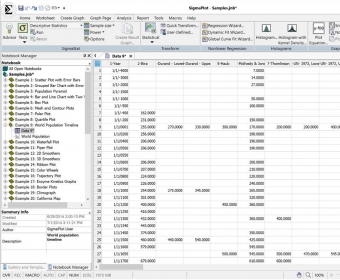
SigmaPlot makes it easier for you to present your findings accurately using precise, publication-quality graphs, data analysis and presentation tools. SigmaPlot offers numerous scientific options such as automatic error bars, regression lines, confidence intervals, axis breaks, technical axis scales, nonlinear curve fitting and a data worksheet for powerful data handling. SigmaPlot is a state-of-the-art technical graphing program designed for the Windows platform. It is certified for Microsoft Office 98, 2000, Windows Vista, Windows XP, and Windows 7. SigmaPlot is specifically designed to aid in documenting and publishing research, specializing in the graphical presentation of results.
The following review written by one of the Software Informer contributors applies to version 12.0
Sigma Plot is heavy-weight robust statistical application, able to provide the user with useful and easy-to-read statistical reports. Most Excel users might not be impressed about the graphic features of the program, but when it offers an automatic calculation for a specific graphic (Standard Curve Analysis), then the good, old Excel is a mere data base worksheet.
Some of its first hand tools are: Statistics (Rates and Proportions, Repeated Measures), Transforms (Smooth 3D Data, Lagged Variables), ROC Curves, Pharmacology (Exploratory Enzyme Kinetics, Simple Ligand Binding). Although the program can handle itself independently from Excel by using its own workbook format, you can work with all Excel formats with it (xls, xlsx). You can open the data from an Excel file or you can have Excel opened into SigmaPlot and work on the data origin file (Excel) and then work the statistical analysis in the same window.
All statistical enthusiasts will receive this application with open arms, and those that are required for strange Excel reports can take advantage of its executive graphic presentations, which can be printed right away. |
- A great and complete statistical toolbox, you can get the statistics graphic for any crazy report you can imagine.
|
- Falls a bit short of statistics behemoths like Minitab, it is equal in price to them (really expensive).
|
|
Reviewed by: Augusto Rivera Reviewer rating: Reviewed: 8 months ago
|
What's new in version 12.1
- Export to graphic formats when using Antialiasing, gradient fills and transparency
- Copy and Paste to MS Excel, MS Word and MS Powerpoint when using Antialiasing, gradient fills and transparency
- Stability of the Program
- Refresh issues in the graph page when changing properties in the Property Browser
- Updating of the Property Browser when making changes on the graph page
- Macro recording of the Property Browser
- Help for Quick Transforms, Macros and the Introductory chapter
- Date and Time axis scales
- Macro operation of the following macros:
- Ligand Binding
- Exploratory EK
- Label Symbols
- Dot Density
- F test comparison of curves
- Display of graphs in the Gallery
- Pasting of dates into reports
- Hand Cursor panning
- Tool tips in the Ribbon
- Opening Excel files SigmaPlot Macro Library summary descriptions:
- Error Bars display
- Copy and Paste styles in Property browser
- Second plot creation in radar graph
- Radar graph Error and Area band color display |
|
Report a wrong version
Report a wrong program title
Suggest a correction
|
Screenshots
All 6 screenshots |
|
| .jnt |
SigmaPlot 10.0 Notebook |
| .jfl |
SigmaPlot 10.0 Notebook |
| .jnb |
SigmaPlot 10.0 Notebook |
|